

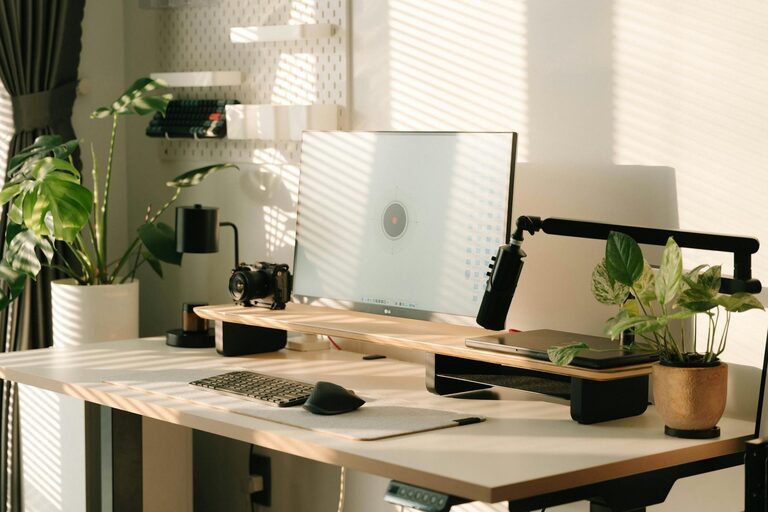
Creating a productive home office environment is essential for anyone working from home, whether full-time or occasionally. A well-designed workspace can improve focus, enhance comfort, and ultimately increase your efficiency. This guide offers practical tips to help you tailor your home office to support your work and wellbeing.
Choose the Right Location
When setting up your home office, selecting the right spot is crucial. Ideally, it should be a quiet area with minimal distractions. Consider the following:
– Natural Light: A bright, well-lit space reduces eye strain and boosts mood. Try to position your desk near a window.
– Away from High Traffic: Choose a room or corner where household noise and interruptions are less likely.
– Space to Move: Ensure there’s enough room for your desk, chair, and storage, plus a bit of space to stretch.
Invest in Comfortable Furniture
Your comfort directly affects productivity. Investing in good-quality furniture is worthwhile.
– Ergonomic Chair: Choose a chair that supports your back and promotes good posture.
– Adjustable Desk: If possible, use a desk that can be adjusted for sitting and standing positions.
– Desk Size: Ensure the desk provides enough space for your computer, documents, and other essentials without feeling cramped.
Organise Your Workspace
A clutter-free environment helps keep your mind clear.
– Use Storage Solutions: Shelves, drawers, and organisers can keep stationery, files, and gadgets neatly stored.
– Cable Management: Use clips and ties to keep cables tidy and avoid tangles.
– Minimalist Approach: Keep only the essentials on your desk to avoid distractions.
Optimise Lighting
Lighting plays a critical role in how well you work.
– Combine Natural and Artificial Light: Maximise daylight but also use adjustable desk lamps to prevent shadows.
– Avoid Glare: Position screens to avoid reflections on your computer monitor, which can cause eye strain.
– Warm Light for Comfort: Use warm LED bulbs to create a comfortable atmosphere, especially in the evenings.
Set Up Technology Efficiently
Smooth technology setup saves time and frustration.
– Reliable Internet Connection: Ensure your broadband speed supports video calls and data uploads with no interruptions.
– Efficient Equipment: Use up-to-date devices such as a fast computer, printer, and external keyboard or mouse.
– Backup Solutions: Regularly back up your work using cloud services or external drives to avoid data loss.
Create a Routine and Boundaries
Working from home can blur personal and professional time.
– Designate Working Hours: Set clear start and finish times to maintain a work-life balance.
– Break Schedule: Include short breaks to stretch, rest your eyes, and refresh your mind.
– Communicate Boundaries: Inform family or housemates about your work schedule to reduce interruptions.
Personalise Your Space
Adding personal touches can make your home office more inviting.
– Plants: Indoor plants add a splash of colour and have been shown to improve air quality and boost mood.
– Artwork or Photos: Surround yourself with items that inspire you or make you feel calm.
– Comfort Items: Consider a cosy rug, cushions, or a cup for your favourite hot drink.
Minimise Noise and Distractions
Concentration is vital for productivity.
– Noise-Cancelling Headphones: These can help block out background noise.
– White Noise Machines or Apps: Using ambient sound can aid focus if complete silence is distracting.
– Turn Off Notifications: Silence phone and email alerts outside designated checking times.
Keep Healthy Habits in Mind
Your physical and mental health supports productivity.
– Good Posture: Be mindful of how you sit and take breaks to avoid stiffness.
– Stay Hydrated and Snack Wisely: Keep water and healthy snacks nearby.
– Exercise: Incorporate a daily walk or stretching routine into your day.
Review and Adapt Your Setup Regularly
As your work needs evolve, so should your workspace.
– Evaluate Comfort and Efficiency: Regularly reassess furniture and equipment.
– Update Technology: Stay current with tools that can enhance productivity.
– Change Layout if Needed: Don’t be afraid to rearrange your office to improve comfort or lighting.
—
Creating a home office environment that supports your productivity is a personal process that requires attention to detail and ongoing adjustment. By following these tips, you can build a workspace that is functional, comfortable, and inspiring, helping you perform at your best from the comfort of home.